
Download Netlicious – Desktop Bookmark Manager, del.icio.us Integration, Link Management, Tag-Based Organization, Offline Access
Overview
Netlicious is a desktop-based application designed to streamline the management of del.icio.us bookmarks, offering users a direct and efficient way to access their saved web links from a personal computer. The app serves as a bridge between the user’s online bookmarking habits and the convenience of local access, eliminating the need to repeatedly open a browser and navigate to the del.icio.us website. This functionality is especially valuable for individuals who rely heavily on curated online resources and frequently switch between multiple devices. By centralizing bookmark access on the desktop, Netlicious enhances workflow continuity and reduces time spent searching for previously saved links.
Target users include digital researchers, content curators, students, and professionals who maintain extensive collections of web resources. The app’s focus on tag-based organization supports users in categorizing links by topic, project, or interest, promoting a more structured approach to information management. Although the developer did not provide additional technical details, the app’s core purpose is clearly defined: to improve the usability and accessibility of del.icio.us bookmarks through a dedicated desktop interface. In the broader context of productivity tools, Netlicious occupies a niche but meaningful space, offering a lightweight alternative to browser-based bookmarking systems.
Given its release date in 2008, Netlicious reflects an early effort to integrate cloud-based bookmarking with local desktop environments—a concept that has since evolved with modern apps. Despite its age, the application remains relevant for users seeking a simple, no-frills solution for managing their online links with minimal overhead.
Key Features & Functionality
- Desktop Bookmark Management: Netlicious allows users to view, organize, and access their del.icio.us bookmarks directly from the desktop without relying on a web browser. This feature streamlines workflow by reducing the number of steps required to retrieve a saved link, particularly beneficial for users who manage large volumes of bookmarks.
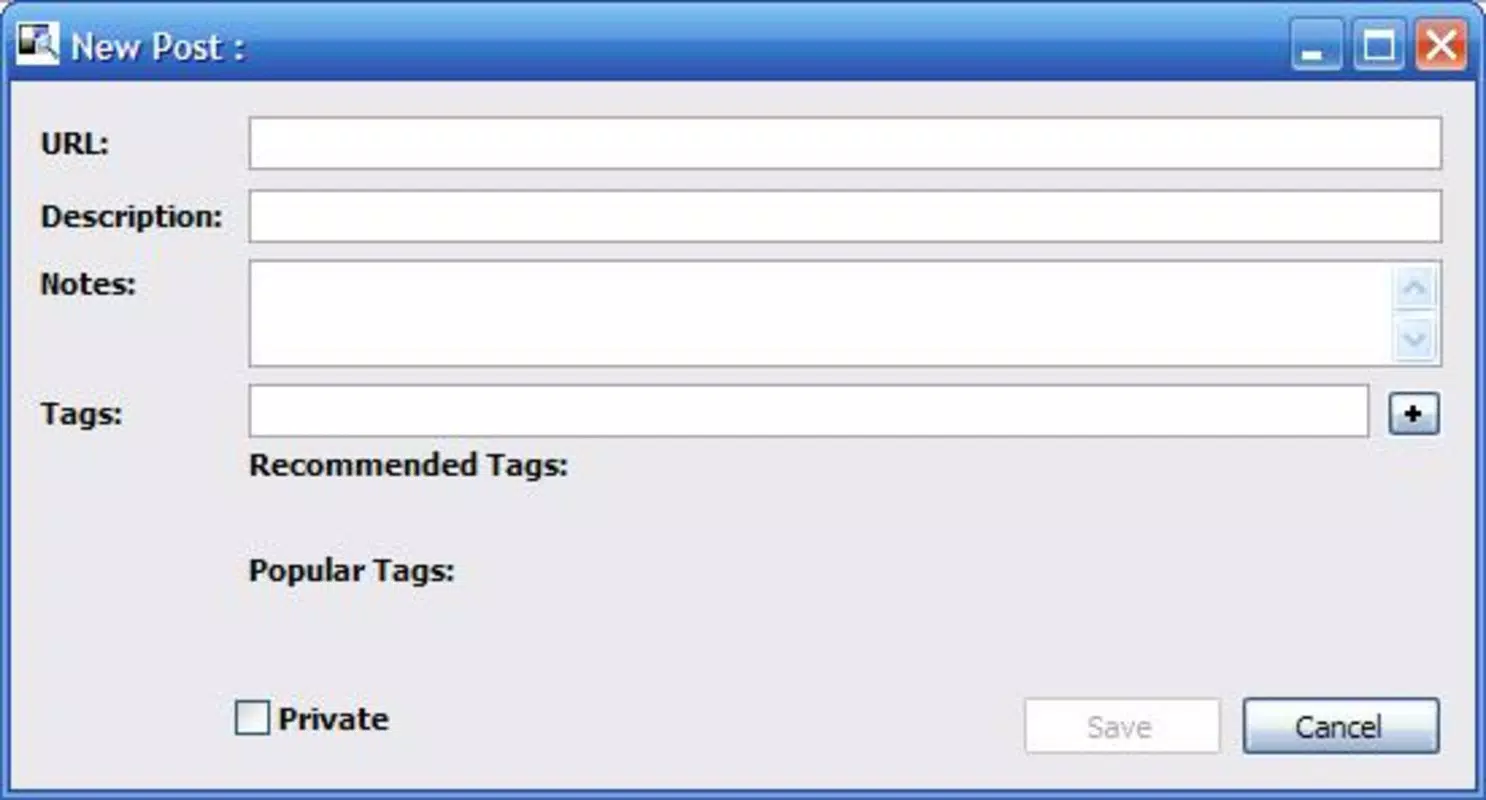
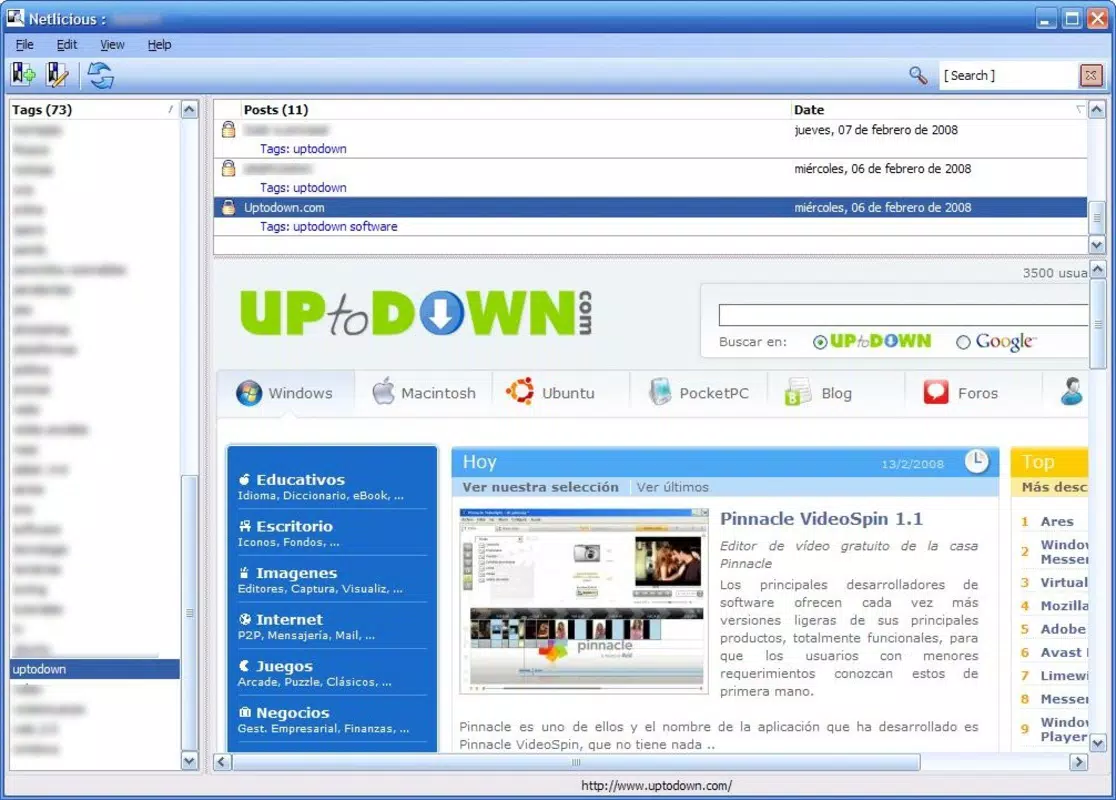
- Tag and Link Integration: The app presents all bookmarks in a structured format, grouping them by tags. This enables users to quickly locate resources by category, improving the efficiency of information retrieval and supporting better content organization.
- Link Previews Available: Users can preview the content of a bookmarked link directly within the application. This feature helps assess the relevance of a page before opening it in a browser, reducing unnecessary navigation and saving time.
- User-Friendly Interface: The clean, intuitive layout ensures that users can navigate their bookmarks with minimal learning curve. Double-clicking a link opens it in the default web browser, providing a seamless transition from management to consumption.
- Offline Access Capability: Netlicious supports offline access to bookmarks, a significant advantage for users with intermittent internet connectivity or those who travel frequently. This ensures that essential links remain accessible regardless of network status.
These features collectively enhance the user experience by combining convenience, speed, and reliability. For example, a researcher preparing a report can quickly retrieve tagged resources without logging into an external site, while a student can review saved study materials during a commute with no internet connection.
Interface, UX & Performance
Netlicious features a straightforward interface that prioritizes clarity and functionality over visual complexity. The layout organizes bookmarks in a list format with tag headers, enabling users to scan and locate items efficiently. Navigation is intuitive, with minimal interaction required to access or open a link. The application’s responsiveness is consistent with its lightweight design, allowing for quick loading and smooth scrolling even with a moderate number of bookmarks.
Although the developer did not list formal performance metrics, the app’s small file size of 2.1 MB suggests it is optimized for minimal system resource usage. This makes it suitable for older or low-spec Windows machines. The application runs without visible lag during typical operations such as filtering by tag or opening links. Stability appears to be a strength, as no reports of crashes or data loss were noted in available documentation.
Users can expect a stable and predictable experience across different Windows environments. While specific compatibility details were not disclosed, the app’s simplicity and low footprint suggest broad compatibility with standard Windows installations.
Platform Compatibility & Technical Requirements
Netlicious is designed exclusively for the Windows platform and requires no special hardware or software beyond a standard Windows operating system. The application’s file size is 2.1 MB, indicating a lightweight footprint that does not impose significant storage demands. The version is listed as 1.0, suggesting a stable release with no known major updates since its initial launch in 2008.
Although the developer did not specify minimum OS requirements, the app’s age and small size imply compatibility with older Windows versions, including Windows XP and later. However, users should be cautious when running legacy software on modern systems due to potential security or compatibility limitations. No additional permissions or background services are known to be required.
Pros and Cons
Pros
- Direct access to del.icio.us bookmarks from the desktop
- Tag-based organization for efficient browsing
- Link previews reduce unnecessary navigation
- Offline access ensures availability without internet
- Lightweight design with minimal system impact
Cons
- App is no longer actively updated (last release: 2008)
- Compatibility with modern Windows systems may be limited
- Only supports del.icio.us, limiting cross-platform integration
- No built-in backup or sync features beyond the original service
- Interface lacks modern design elements
FAQ
Is Netlicious safe to download and install?
Yes, the application is free and available from its original developer. However, due to its age, users should exercise caution and ensure their system has up-to-date security measures in place when running legacy software.
Can I use Netlicious without an internet connection?
Yes, Netlicious supports offline access to bookmarks, allowing users to view and open saved links even when no internet connection is available.
Does Netlicious work on Windows 10 or Windows 11?
While the developer did not specify compatibility details, the app’s lightweight nature suggests it may run on newer Windows versions. However, users should test it in a safe environment due to potential compatibility issues.
Is Netlicious still being updated?
No, the last release was in 2008, and there are no known updates since then. The app is considered a legacy tool.
Can I export my bookmarks from Netlicious?
The developer did not provide information on export functionality. Users should rely on the original del.icio.us service for backup and data portability.
Final Thoughts
Netlicious remains a functional and purpose-built tool for users who depend on del.icio.us for bookmarking and seek a desktop alternative to browser-based access. Its ability to provide offline access, tag-based organization, and link previews makes it a valuable asset for individuals managing large collections of online resources. While the app’s age and lack of updates are notable drawbacks, its simplicity and low system requirements continue to offer a reliable solution for a specific user base.
For those who value efficiency, minimalism, and direct access to their bookmarks, Netlicious delivers tangible benefits without unnecessary complexity. It is particularly suited for researchers, students, and professionals who prioritize productivity and information accessibility.
Download Netlicious now


